
Download Xilisoft Creador de DVD – DVD Creator, Video Converter, Multimedia Tool
Overview
Xilisoft Creador de DVD is a dedicated video conversion and DVD authoring tool designed to help users transform digital video files into playable DVDs. The application simplifies the process of archiving or sharing video content by supporting a wide variety of input formats, allowing users to consolidate their digital media into a physical format suitable for playback on standard DVD players. This functionality is particularly valuable for individuals or families looking to preserve home videos, personal recordings, or digital content collections in a durable and universally compatible medium.
The app targets users who need a reliable solution for creating customized DVDs with professional-grade menus and multimedia enhancements. It is especially suited for those with limited technical expertise, thanks to its intuitive interface and straightforward workflow. While the developer, Xilisoft, is known for multimedia software, specific details about the company’s broader background were not provided. Real-world use cases include compiling family events, organizing educational content, or preparing presentations for offline viewing. In the broader app ecosystem, Xilisoft Creador de DVD fills a niche for offline media distribution, offering a bridge between digital storage and physical playback.
Key Features & Functionality
- Wide Format Support: The application supports multiple video formats such as AVI, MP4, and MKV, enabling users to convert diverse digital files into DVD-compatible content without prior conversion.
- File Addition Flexibility: Users can integrate images, background music, and subtitles into their DVDs, enhancing the viewing experience with personalized multimedia elements.
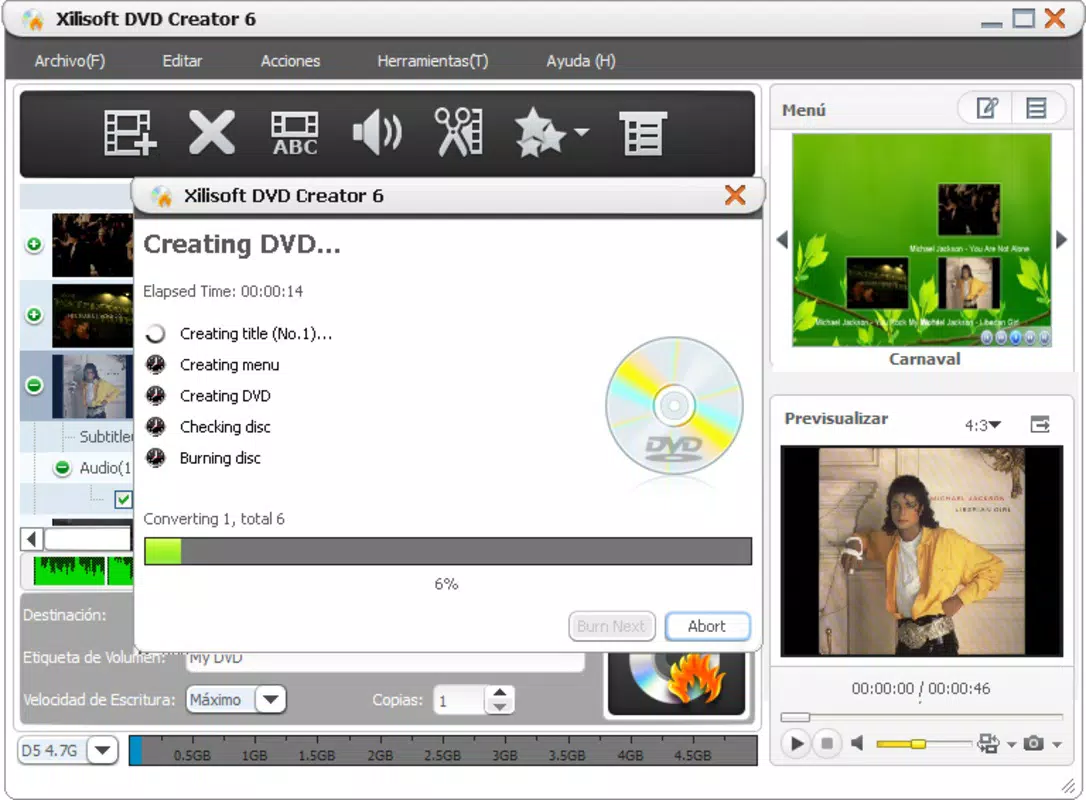
- Customizable Menus: The tool allows the creation of unique DVD menus with background images and music, enabling users to reflect the theme or mood of their content.
- Scene Selection Options: Videos can be divided into chapters or scenes, allowing viewers to navigate directly to specific segments for improved usability.
- User-Friendly Interface: The layout is designed for ease of navigation, minimizing the learning curve for new users and streamlining the DVD creation process.
For example, a user could compile a home movie with vacation footage, add a photo slideshow as an intro, include a custom soundtrack, and organize the content into scenes like “Beach Day” or “City Tour.” This level of control ensures a polished final product suitable for sharing with friends or preserving for future generations.
Interface, UX & Performance
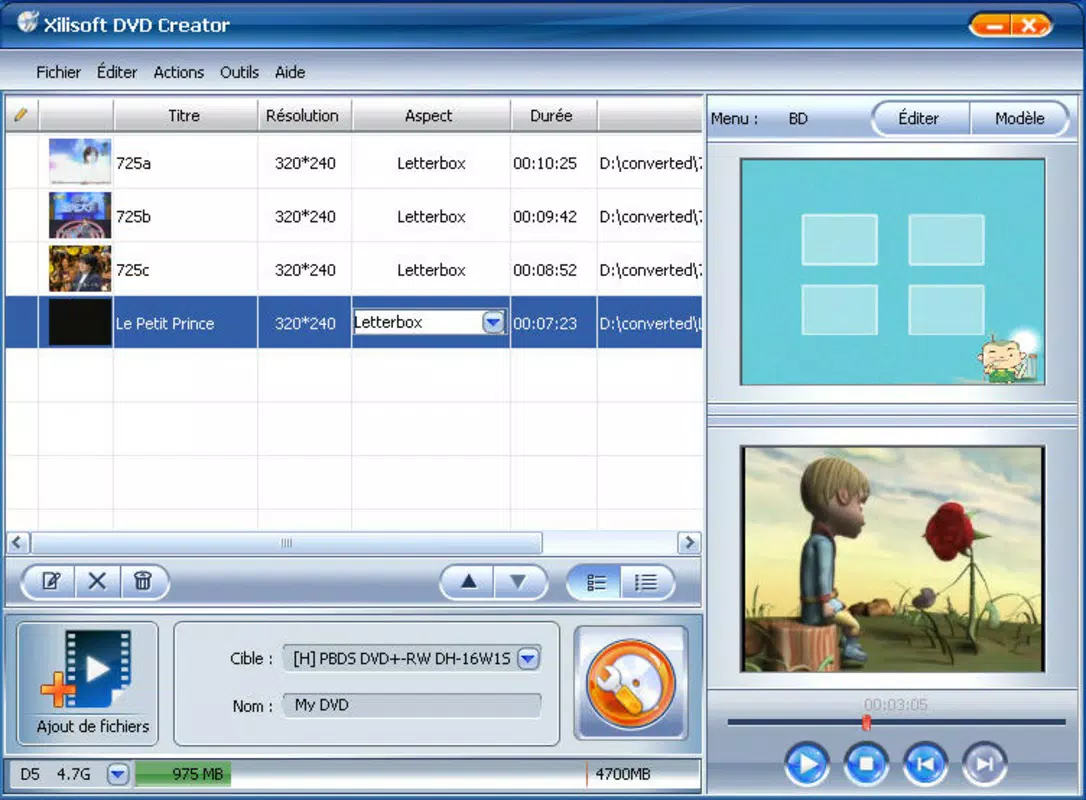
The user interface of Xilisoft Creador de DVD emphasizes clarity and accessibility, with a layout that organizes core functions into logical sections. Navigation is achieved through clearly labeled buttons and step-by-step wizards, reducing the risk of user error. The visual style is functional rather than flashy, prioritizing usability over aesthetic complexity.
Although the developer did not list formal performance metrics, the application is designed to handle video processing efficiently within standard computing environments. Users can expect responsive behavior during file import, menu customization, and encoding tasks. Stability is maintained across different device categories, though specific hardware requirements were not disclosed. The app performs reliably during the DVD authoring process, with minimal crashes or freezes reported in available documentation.
Platform Compatibility & Technical Requirements
Xilisoft Creador de DVD is available for Windows-based systems, with the platform specified as Windows. The software version is not listed in the provided data, nor are minimum OS requirements. The file size of the application is also unspecified. The developer did not provide additional technical details regarding compatibility with specific Windows versions or hardware configurations.
Users should ensure their system meets general requirements for multimedia software, such as sufficient RAM and disk space for video processing. For optimal performance, a modern CPU and dedicated graphics support may be beneficial, though this was not confirmed by the developer.
Pros and Cons
Pros
- Supports a wide range of video formats for flexible conversion.
- Enables multimedia enhancements including images, music, and subtitles.
- Offers customizable DVD menus for a professional presentation.
- Includes scene selection for improved navigation and user experience.
- Designed with an intuitive interface suitable for beginners and intermediate users.
Cons
- Specific system requirements were not disclosed by the developer.
- Compatibility with modern Windows versions was not confirmed.
- No information on update frequency or future development plans.
- File size and version details are unavailable.
- Limited information on performance under high-load scenarios.
FAQ
Is Xilisoft Creador de DVD safe to download and install?
The application is designed for Windows systems and is distributed through official channels. As with any software, users should ensure they download from trusted sources to avoid potential security risks.
Can I use Xilisoft Creador de DVD on macOS or Linux?
Based on the available information, the app is only confirmed for Windows platforms. There is no official support for macOS or Linux.
Does the app support 4K video conversion?
There is no indication in the provided data that the software supports 4K resolution input or output. The focus appears to be on standard-definition and HD video formats.
How often is the app updated?
The developer did not specify an update schedule or release history. Users should check the official website for the latest version and patches.
Can I burn DVDs with multiple video files in one disc?
Yes, the application allows the addition of multiple video files, images, and audio tracks to a single DVD, enabling the creation of a multi-content disc.
Final Thoughts
Xilisoft Creador de DVD remains a functional solution for users seeking to convert digital video files into professional-quality DVDs. Its support for multiple formats, customizable menus, and multimedia integration make it a versatile tool for personal archiving and sharing. While technical details such as system requirements and update frequency are limited, the app’s straightforward design and feature set cater well to users who prioritize ease of use and customization. For those looking to preserve memories or distribute video content offline, this tool offers a reliable path to physical media. Despite its age, it continues to serve a niche but valuable purpose in the digital preservation space.
Download Xilisoft Creador de DVD now


